

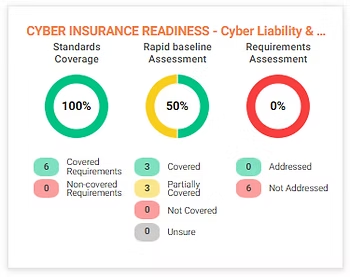

This e-Book is a great summary for business owners to build out the Strategy for the underlying Technology. Most owners we talk to, reluctantly say they don’t understand the technology, so don’t want to ask questions. We want you to start asking questions! Feel free to download this PDF BELOW
If you have any questions about how to implement thee above or how this all fits into overall Strategy and Governance, please visit this PAGE

Here are some tips to help your staff with your password policy. Tip 1: Use Complex Passwords Think beyond birthdays or pets names. Use a combination of uppercase and lowercase letters, numbers and symbols. Tip 2: Don’t Reuse Passwords Keep your passwords unique for different apps. A data leak on one website can make all your applications vulnerable. Tip 3: Leverage Password Managers Remembering passwords is hard. Password managers securely store them and can even generate unique passwords for your applications. Tip 4: Enable Two-factor Authentication (2FA) Even strong locks can be broken. Enable 2FA on all your cloud apps to make it harder for criminals to gain access. Tip 5: Beware of Imposters Watch out for phishing emails impersonating familiar contacts. Clicking on links in these emails could put your business at risk. Feel free to download and print out this PDF for your staff training ->

Data Loss Prevention . It is extremely pleasing to see the Australian Government working hard on helping organisations with their overall Information Security Management. Home | Cyber.gov.au is an excellent website to bookmark. With the information constantly being updated on this site, I worry that organisations are falling farther behind, because Information Security Management still does not make its way into the overall Risk Management Strategy. As organisations, we seem to have implemented Work Health and Safety so very well, so how do we start getting the same uptake on Information Security Management? Some suggested steps . Elevate, across the entire organisation, the words being used; instead of the more technical word(s); cybersecurity, firewalls, application control -> think instead of the overall Information Security Management , ie The Owners or Board MUST manage the security of ALL information ! Start picking some risk areas to understand; I find this is an excellent first step in understanding “does my business actually have client’s personal data?“ and “how do I start securing that information“ -> Securing Customer Personal Data for Small to Medium Businesses | Cyber.gov.au Share that information and understandings across the entire organisation. The IT team might know this inside and out, BUT most likely the language is far too complex. Speak in non IT language, Speak in business language. SEEK UNDERSTANDING TO STAY COMPLIANT! Summary Some of those actions can be carried out by yourself, some ideally will be done in partnership with a Trusted Technology Solutions Provider. Links List of our Professional Services | Strategy & Governance | Compago Technologies
Strategic Technology Alignment e-Book PDF

Compago Technologies and Eagle Crest Technologies are excited to announce a newly formed state-wide coverage partnership.
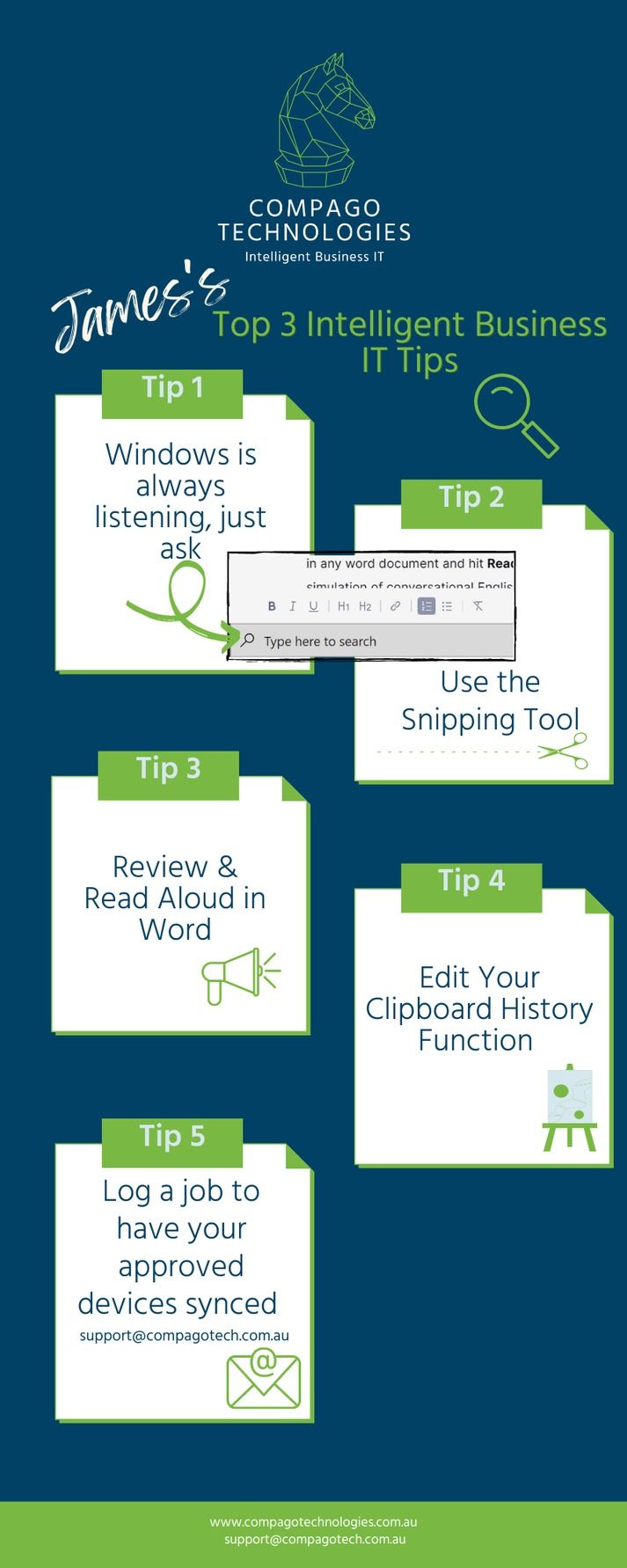
Hands up if you seem to be doing things the hard way, or see your colleagues fly through their computer-based activities, pushing out image-rich presentations in record time that have no spelling or grammar issues - Do you wonder if there is a more intelligent way to work, or if there is an update for the PC user staring back at you? At Compago Technologies, IT Service Engineer, James wowed the marketing team recently with the snipping tool - we were awkwardly stuck in the '90s using screenshots, but couldn't find where we'd saved them. James literally changed our working day, you see the Print Screen button and the resulting images we were searching so dramatically for is a legacy holdout from the 90's, and now that we have multiple monitors attached to our computer the function gives you a gigantic file that you’re going to have to edit any way - insert another headache task, that keeps us productively slow. James explained that using the snipping tool to add small snippets into your documents/emails and presentations, was where all the intelligent IT cool cats were at - and above all, super easy. Our ears pricked up - snipping tool, you say... super easy - we are listening! James explained that by using the built-in Snipping Tool (or the updated version) Snip and Sketch you simply drag a selection box over what you want to be captured and it's done, already saved to your clipboard for pasting into a document using Ctrl V Honestly, it's that easy - give it a whirl right now. \ \ \ \ \ \ Oh, that's right, where would we find the snipping tool - Jaaammmeeesss...? This got us wondering what other gems does James have that will contribute to Intelligent Business IT? The stuff that you and your team (and to be honest, our entire marketing department) could greatly benefit from? James is a sought after team member - and it's not surprising, clients totally appreciate his knowledge sharing and great communication - so here are his top three PC productivity tips, four really when we circle back to the vintage screenshot scenario...five if you see the plug to getting things done.
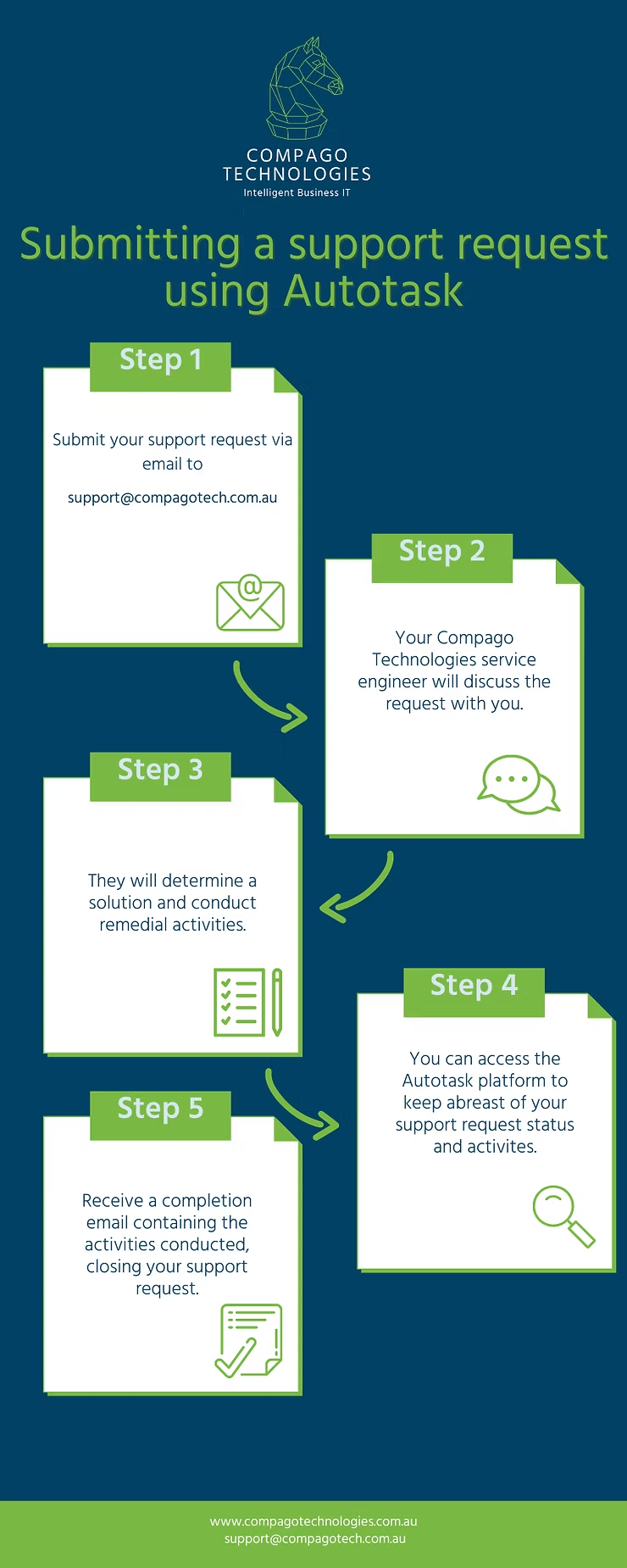
There are many moving parts to keeping your business IT intelligently operating, and at Compago Technologies we are very excited to be using the powerful and intuitive cloud-based tasking platform, Autotask PSA. Autotask PSA will allow us to make real time decisions to improve the service we provide to you, and the productivity of your business. How so? Let's walk through a typical support request scenario, data transfer. It's been identified a staff member has data stored on a laptop that is not fully integrated into your IT system information, they work from home on one PC and in the workplace on another, for ease and productivity, everyone agrees it would be super handy to have all content syncing to only approved work devices. What happens and who does what in this scenario?